Column-level lineage—the ability to trace every output column back through every transformation to its original source—is one of the most valuable and most difficult artifacts to extract from SSIS packages. It is essential for regulatory compliance, migration validation, impact analysis, and operational troubleshooting. Yet SSIS was never designed to make lineage extraction easy. Its internal data flow model uses opaque integer lineage IDs, deeply nested XML, and implicit column references that defeat simple text-based analysis. This article explains how SSIS stores lineage internally, why it is so hard to extract, and how automated tooling can resolve the full column-level lineage graph from raw .dtsx files.
Why Column-Level Lineage Matters
Before diving into the technical challenge, it is worth understanding why organizations invest significant effort in extracting SSIS lineage. The use cases span multiple domains:
Regulatory Compliance
Regulations like GDPR, CCPA, HIPAA, and Basel III/IV require organizations to demonstrate where sensitive data originates, how it is transformed, and where it is stored. Auditors need to see a clear, documented trail from source to destination. For SSIS-heavy environments, this means extracting lineage from hundreds or thousands of packages and presenting it in a structured format.
Impact Analysis
When a source system changes—a column is renamed, a table is deprecated, a data type is altered—teams need to know which SSIS packages and downstream reports will be affected. Without column-level lineage, impact analysis is a manual, error-prone process of searching through XML files and hoping you did not miss a reference.
Migration Validation
When migrating SSIS packages to PySpark, dbt, or another target, lineage serves as the ground truth for validation. If the original SSIS package maps source.customer_name through a Derived Column transformation to destination.cust_nm, the converted code must preserve that exact mapping. Lineage extraction makes it possible to verify this systematically rather than relying on manual inspection.
Operational Troubleshooting
When a data quality issue surfaces in a report or downstream table, the first question is always: “Where did this data come from?” Column-level lineage provides an instant answer, tracing the problematic value back through every transformation to its source.

SSIS to Apache PySpark migration — automated end-to-end by MigryX
How SSIS Stores Lineage Internally
The SSIS data flow engine uses a system of lineage IDs to track columns as they flow through components. Understanding this system is the key to extracting lineage from .dtsx files.
SSIS stores lineage as opaque integer IDs within deeply nested XML—a system designed for runtime efficiency, not human readability. Extracting meaningful column-level lineage requires resolving these IDs across components, a challenge MigryX handles automatically.
Different SSIS component types handle lineage in fundamentally different ways, adding layers of complexity to the extraction process.
The result is a complete map showing how each target column traces back through every transformation to its original source—across Data Flow boundaries, For Each Loop iterations, and nested package calls.
Automated STTM Generation from SSIS Packages
A Source-to-Target Mapping (STTM) document is the standard deliverable for data lineage. It lists every destination column alongside its source table, source column, and any transformation logic applied along the way. Creating STTMs manually from SSIS packages is labor-intensive and error-prone—a single package with 10 data flows can have hundreds of column mappings.
MigryX automates STTM generation by parsing .dtsx files, resolving all lineage ID references, tracing column flows through every component, and producing a structured mapping document. Each row in the STTM shows: destination table, destination column, source table, source column, transformation expression (if any), and the component chain the column passes through. For enterprises with hundreds of SSIS packages, this automation reduces weeks of manual documentation to hours of automated extraction.
The generated STTM serves double duty: it documents the existing system for compliance and audit purposes, and it becomes the validation checklist for the migrated pipelines. Every mapping in the STTM must be preserved in the target platform.
MigryX Atlas: Lineage That Goes Deeper
While most lineage tools stop at table-level tracking, MigryX Atlas traces every column through every transformation — joins, filters, aggregations, CASE statements, and derived calculations. It automatically generates Source-to-Target Mapping documents (STTMs) that auditors and business analysts can review without reading code. This is not just metadata scanning — it is deep semantic analysis powered by MigryX’s precision AST parsers.
Edge Cases and Complications
Real-world SSIS packages are more complex than textbook examples. Several patterns create challenges for lineage extraction:
Script Components
SSIS Script Components (within a data flow, as opposed to Script Tasks in the control flow) can add, modify, or remove columns using C# or VB.NET code. The column transformations are defined in compiled code, not in the XML metadata. Lineage extraction can identify which columns enter and leave the Script Component, but the internal transformation logic requires code analysis.
Dynamic Column References
Some SSIS patterns use variables and expressions to dynamically set column mappings at runtime. For example, a Derived Column might reference a variable that contains a column name. These dynamic patterns break static lineage analysis and must be flagged for manual review.
Error Output Columns
Every SSIS data flow component can have an error output that captures rows that failed processing. Error outputs automatically include ErrorCode and ErrorColumn columns alongside the original data. Lineage extraction must handle these additional columns and their relationship to the component’s main output.
Multicast and Conditional Split Fan-Out
A Multicast component sends every row to all of its outputs (duplicating the data). A Conditional Split routes rows to different outputs based on conditions. Both create fan-out patterns where a single upstream column appears in multiple downstream paths. The lineage graph must represent these as multiple lineage chains sharing a common prefix.
Union All Column Mapping
The Union All component merges multiple inputs into a single output. Columns from different inputs are matched by position (not name) in older SSIS versions, and by explicit mapping in newer versions. Lineage extraction must handle both patterns and correctly attribute each output column to its source(s) from multiple upstream paths.
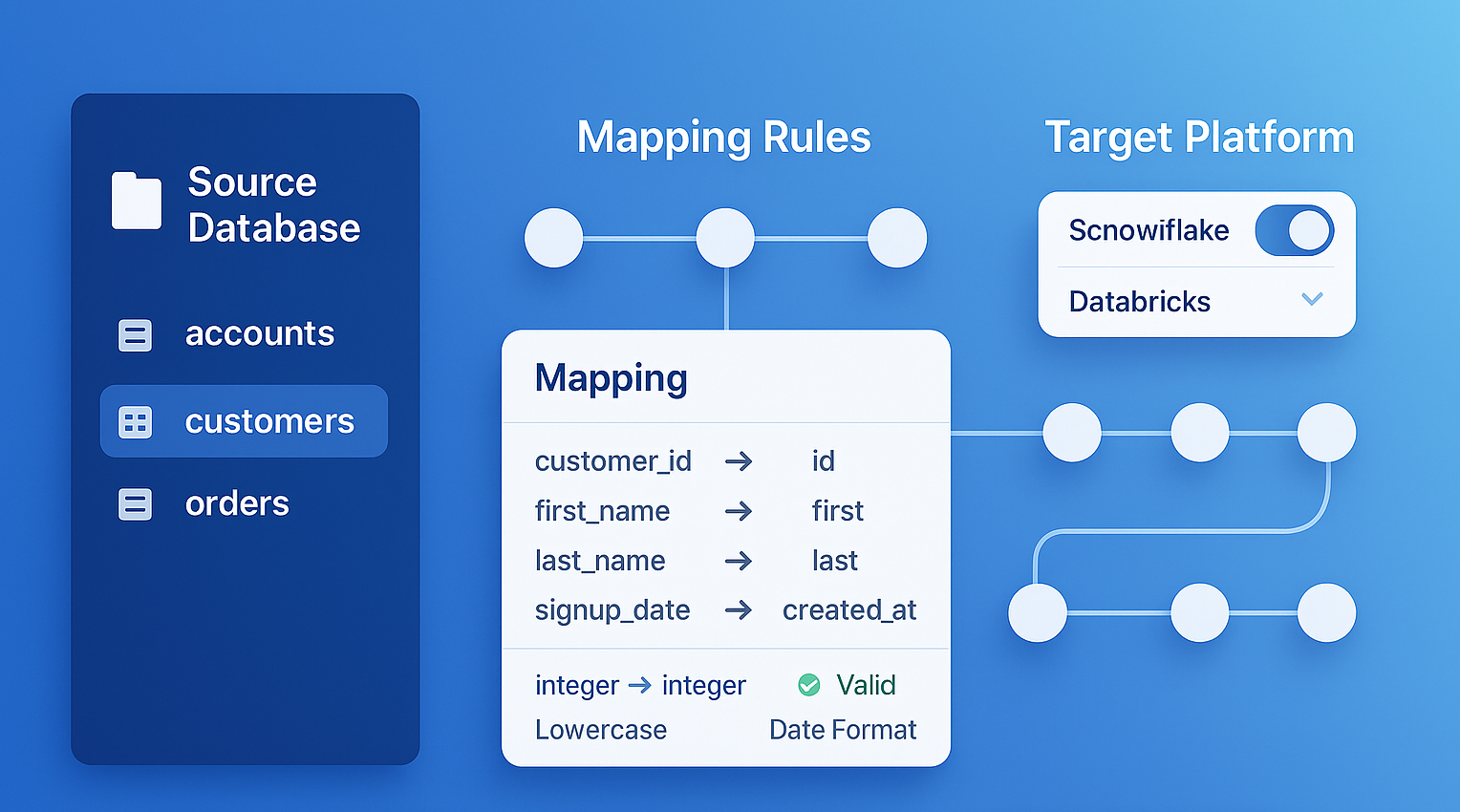
MigryX generates comprehensive Source-to-Target Mappings (STTMs) automatically, eliminating weeks of manual documentation
Why Manual Lineage Documentation Fails — And How MigryX Fixes It
Enterprise data estates contain thousands of interdependent programs. Manual lineage documentation is outdated the moment it is written. MigryX Atlas continuously analyzes your codebase and produces lineage maps that reflect the actual state of your data pipelines — not what someone documented six months ago. Teams using MigryX Atlas report reducing impact analysis time from weeks to hours.
Use Cases for Extracted Lineage
Pre-Migration Impact Analysis
Before migrating a single package, use lineage data to answer critical questions: Which packages read from the same source tables? Which destination tables are written by multiple packages? Where do the most complex transformation chains exist? This analysis drives migration prioritization and identifies packages that must be migrated together (because they share dependencies).
Post-Migration Validation
After converting SSIS packages to PySpark or dbt, compare the lineage of the original and converted pipelines. Every source-to-destination column mapping in the SSIS lineage must have an equivalent mapping in the converted code. Lineage comparison catches subtle errors that data diffing might miss—for example, a column that produces the correct values but derives them from the wrong source.
Audit Trail for Compliance
Regulators and internal audit teams need documented evidence of data lineage. The extracted STTM, combined with the component-level flow diagram, provides this evidence in a structured, repeatable format. When regulations change or audits are updated, the lineage can be re-extracted automatically rather than reconstructed manually.
Data Catalog Integration
Column-level lineage from SSIS can be loaded into data catalog tools (like Apache Atlas, Collibra, or Alation) to provide end-to-end visibility from source systems through ETL to analytics. This connects the “ETL middle” to the source and consumption layers, closing a gap that many data governance programs struggle with.
Column-level lineage is not a luxury—it is the foundation of data trust. Without it, you cannot prove that your data is correct, your migrations are complete, or your compliance posture is sound. The investment in extracting it pays dividends across every data initiative.
Extracting column-level lineage from SSIS data flows is a hard problem, but it is a solved problem. The combination of .dtsx XML parsing, lineage ID resolution, component graph construction, and end-to-end tracing produces a complete, accurate picture of how data moves through SSIS pipelines. Whether you are migrating to the cloud, satisfying a compliance audit, or simply trying to understand your own data infrastructure, automated lineage extraction is the starting point.
Why MigryX Is Essential for Data Lineage
The challenges described throughout this article are exactly what MigryX was built to solve. Here is how MigryX transforms this process:
- Column-level precision: MigryX traces data from source field to target column through every transformation step, not just table-to-table connections.
- Automated STTM generation: Source-to-Target Mapping documents are produced automatically, saving weeks of manual effort per migration wave.
- Cross-platform support: MigryX Atlas handles lineage across SAS, Informatica, DataStage, Alteryx, SSIS, and 20+ other technologies in a single unified view.
- Regulatory compliance: SOC 2 compliant audit trails ensure every data flow is documented for regulatory review.
MigryX combines precision AST parsing with Merlin AI to deliver 99% accurate, production-ready migration — turning what used to be a multi-year manual effort into a streamlined, validated process. See it in action.
Ready to modernize your legacy code?
See how MigryX automates migration with precision, speed, and trust.
Schedule a Demo